
Dual Internet connection, Wi-Fi sized by survey, separate networks, monitoring, UPS: everything a hotel needs to know to offer Internet that holds up under load.

The essentials in 30 seconds
- A hotel shouldn't depend on a single connection: two independent links and a multi-WAN router sharply reduce outages.
- Failover switches over during an outage; load balancing spreads connections. Neither adds up bandwidth for a single download.
- The number of access points comes from a coverage survey, not a fixed rule: walls, density and interference change everything.
- Guests, administration, cameras and telephony should run on separate networks (VLANs), filtered by a firewall.
- Without a UPS and monitoring, the best architecture fails at the first power cut or the first undetected fault.
Contents
- 01Wi-Fi is part of the service, just like the room
- 02What weak Internet infrastructure really costs
- 03Why a hotel shouldn't depend on a single Internet connection
- 04Typical architecture: fibre + satellite + multi-WAN router
- 05Failover and load balancing: two mechanisms not to confuse
- 06Sizing bandwidth without guessing
- 07Coverage survey: why the number of access points isn't a guess
- 08Wi-Fi 6, 6E and 7: which standard for your hotel?
- 09A hotel's professional network architecture
- 10VLAN segmentation and cybersecurity: guests have no business on your network
- 11Captive portal and Wi-Fi access management
- 12Monitoring and maintenance: spot the fault before the guest does
- 13Power continuity: no power, no redundancy
- 14Example architectures by hotel size
- 15What VBS handles, from audit to maintenance
- 16Where do we work?
- 17Summary
Wi-Fi dropping in the rooms, the fibre going down on a busy evening, a card terminal offline at check-out: in a hotel, the Internet has become critical infrastructure. This guide explains how to design a hotel network that holds up. It is written for hotel owners and managers as well as IT staff, in Douala, Yaoundé, Bafoussam and across Cameroon.
2
independent Internet links, with automatic failover
1
single Wi-Fi name, from the lobby to the top floor
5
separate networks: guests, administration, cameras, telephony, building systems
Wi-Fi is part of the service, just like the room
It's 9 pm. A business traveller in from Yaoundé has to send a presentation before tomorrow's meeting. The connection spins, then drops. He goes down to the front desk, where the router gets restarted "as usual". The next day he checks out without a word; a few days later a review appears: "Decent room, useless Wi-Fi."
For a business traveller, reliable Wi-Fi shapes the working day: video calls, email, access to company tools. For a family, it's evening streaming and calls home. Either way, the guest doesn't judge "the router": they judge the hotel.
The good news is that Wi-Fi that drops is almost never inevitable. It is usually the symptom of a network that wasn't designed for a hotel: one Internet connection, consumer equipment, access points placed by guesswork, and every use mixed on the same network.
What weak Internet infrastructure really costs
When the Internet stops in a hotel, it isn't only the room Wi-Fi that goes down. Operations depend on it:
- Online bookings. Booking platforms and your website's booking engine sync availability over the Internet. An outage delays updates, with a risk of overbooking or missed bookings.
- Electronic payments. Card terminals, mobile payments, payment links: without a connection, taking payment at check-out gets complicated.
- Property management system (PMS). A cloud-hosted PMS becomes unreachable; even an on-premise PMS loses its external interfaces.
- Business communications. Email, exchanges with travel agencies and corporate clients, coordination between departments.
- Guest services. Room and meeting-room Wi-Fi, IPTV, ordering or concierge apps.
- Connected CCTV. Local recording usually continues, but remote viewing and alerts stop.
- IP telephony. Without a connection, no outgoing calls from the rooms or the front desk.
Add a less visible cost: front-desk time spent restarting equipment and apologising instead of welcoming guests.
Why a hotel shouldn't depend on a single Internet connection
An Internet connection, however good, is a chain of parts that can each fail: fibre cut during roadworks, an incident at the provider, customer equipment burnt out by a power surge, a power cut on the provider's network. None of these depends on you, and none gives warning.
The professional answer is at least two Internet links, ideally from independent providers over independent infrastructure, connected to a multi-WAN router that detects an outage and fails over automatically. Common combinations in Cameroon, depending on coverage at the site:
- Fibre from one provider + fibre from a second provider, if two separate networks really serve the area.
- Fibre + a satellite link from a provider licensed in Cameroon: diversity is maximal, since satellite shares neither cables nor trenches with the fibre.
- Fibre + 4G or 5G, an affordable backup, provided mobile coverage is good where the router or antenna will sit.
Two subscriptions are not yet redundancy
Real redundancy has to be checked. Two subscriptions can fail together if:
- both fibres come in through the same trench or pole, or the second provider actually resells the first one's network;
- both customer devices are plugged into the same power strip, with no UPS;
- a single router, switch or power supply carries the whole network (a "single point of failure");
- routing hasn't been configured to detect a real outage (see below).
That's why a redundancy study starts by checking each link's physical path and ends with a real cut-over test. Even when well designed, a redundant architecture sharply reduces outages, but cannot guarantee 100% availability.
Typical architecture: fibre + satellite + multi-WAN router
Two links, automatic failover
Normal operation
Everything runs over the fibre; the satellite link waits.
The fibre is down
The router detects the outage and fails over: service resumes within seconds.
- Primary link: fibre. High bandwidth and low latency: it carries most of the traffic in normal operation.
- Secondary link: satellite, a second fibre or 4G/5G. Chosen for its physical independence from the first. With a geostationary satellite, latency runs to hundreds of milliseconds: fine for messaging and browsing, more awkward for video calls. With a low-Earth-orbit constellation, it is much lower.
- Multi-WAN router (for example MikroTik). The brain of the setup: it monitors each link, decides where traffic goes, filters flows and separates networks.
- Managed core switch. It distributes the network to the floors and carries the virtual networks (VLANs).
- PoE floor switches. They power access points, cameras and phones over the network cable, with no power socket in the ceiling.
- Professional access points. They broadcast a single network across the property and let devices move from one access point to the next.
- Separate networks. Guests, administration, CCTV and telephony share the same cabling but stay isolated from each other.
- UPS. Router, switches and providers' equipment are backed up: otherwise Internet redundancy is useless during a power cut.
Failover and load balancing: two mechanisms not to confuse
With two connections, the router can do two very different things: switch from one link to the other during an outage (failover), or spread traffic across both in normal operation (load balancing). A third notion, bandwidth aggregation, is something else again.
Failover or load balancing
Failover
Everything uses link A; link B only works during an outage.
Load balancing
Each connection stays on one link, so it is no faster. The hotel as a whole gains capacity.
Failover, or automatic switchover
The primary link carries the traffic; the backup waits. When the router sees that the primary no longer works, it sends traffic over the backup, then returns to the primary once it recovers.
The whole point is detection. On a MikroTik router, the simplest check (the check-gateway option) only tests that the provider's gateway answers. Yet the most common case is the opposite: the provider's box answers, but the Internet no longer gets through behind it. A professional configuration therefore tests addresses on the Internet through each link, for example with recursive routing or the Netwatch tool, as described in the MikroTik documentation.
Load balancing, or spreading the load
Both links work at the same time. On MikroTik, the most common method (PCC, Per Connection Classifier) spreads connections: each connection stays on one link, but connections as a whole are shared across both.
An important consequence: a given download or video call is no faster with two links. It's the hotel as a whole that gains capacity when many guests are online. You also need to stop a guest's IP address changing mid-session, which can log them out of some banking sites or business tools: the balancing settings take this into account.
Load balancing doesn't always make sense: with fast fibre and a slower or volume-billed satellite backup, pure failover is preferred.
Bandwidth aggregation
Truly adding up two links' bandwidth for a single connection requires a third-party service (an aggregation server on the Internet, often part of an SD-WAN offer) that recombines the flows. It's possible, but costlier and rarely essential for a hotel.
| Mechanism | What it does | What it doesn't do | For whom |
|---|---|---|---|
| Failover | Switches to the backup when the primary fails | Speeds nothing up; drops sessions at switchover | Every hotel |
| Load balancing (PCC) | Spreads connections across links | Doesn't make a single connection faster | Busy properties with two links of similar capacity |
| Aggregation | Adds up bandwidth for one connection | Only works with an external service | Specific needs (events, broadcasting) |
Want to secure your hotel's Internet with a second link and automatic failover? VBS checks the links available at your address and designs a suitable multi-WAN architecture: request a study.
Sizing bandwidth without guessing
"How much bandwidth does my hotel need?" The honest answer is that there's no universal figure per room. It depends on who your guests are and what they do at the busiest time of day, often in the evening. The method starts from your own data:
- Occupancy in high season and the number of people per room.
- Devices per person: phone, laptop, tablet.
- The share of users active at the same time at peak hour: not every connected device uses bandwidth at once.
- Type of use: messaging and browsing, video streaming, video calls, heavy downloads.
- Internal uses: PMS, payments, IP telephony, remote CCTV viewing, meeting rooms and events.
From this you derive a peak bandwidth, then apply two settings that make the difference: a per-guest speed limit, so one download can't saturate the whole property, and priority for business traffic (payments, PMS, telephony) over guest traffic. The backup link is sized to keep the hotel running in degraded mode: it doesn't necessarily need to match the fibre.
Once the network is live, monitoring measures real usage: that's what tells you whether to upgrade the subscription or simply share bandwidth better.
Coverage survey: why the number of access points isn't a guess
You often hear rules such as "one access point per two rooms". They don't hold, because two hotels of the same size can have opposite needs. What decides the number and position of access points:
- Materials. Reinforced concrete, solid blocks, fire doors, mirrors and tiled bathrooms weaken the signal heavily, especially at 5 GHz.
- Density. A 100-person conference room needs more capacity than a 20-room floor, even if it's smaller.
- Size and shape of the building: long corridors, several wings, outdoor areas (pool, terrace, car park).
- Radio interference: neighbouring networks, old routers left in place, various wireless devices.
Same floor, two designs
1 access point in the corridor
End rooms drop out
Access points inside the rooms
Every room is covered
- Good signal
- Fair signal
- Weak signal
- Wi-Fi access point
That's the job of the coverage survey (site survey): a model on the floor plan, completed by on-site measurements, room by room with the door closed. It decides:
- Where access points go. In hotels, access points inside the rooms (staggered from floor to floor, depending on measurements) often work better than powerful corridor units.
- Channels. At 2.4 GHz only three channels don't overlap (1, 6 and 11); the 5 GHz band offers many more and carries most of the load. Narrower channels (20 or 40 MHz) are often better in dense environments.
- Transmit power. Louder isn't better: an access point at full power "attracts" devices that are too far away and interferes with its neighbours. Power is tuned so each area is served by the right access point.
- Roaming. One network name across the property, and access points that help devices move between them without dropping (802.11k, 802.11v and 802.11r, depending on device support).
Consumer or professional equipment?
| Criterion | Consumer router | Professional access points |
|---|---|---|
| Simultaneous devices | Designed for a household | Built for high density |
| Management | One by one, locally | Centralised, from a controller |
| Roaming between access points | Limited or none | 802.11k/v/r depending on model |
| Power | Power socket | PoE over the network cable |
| Separate networks (VLANs) | Rarely | Several networks per access point |
| Mounting | Sits on furniture | Ceiling or wall, discreet |
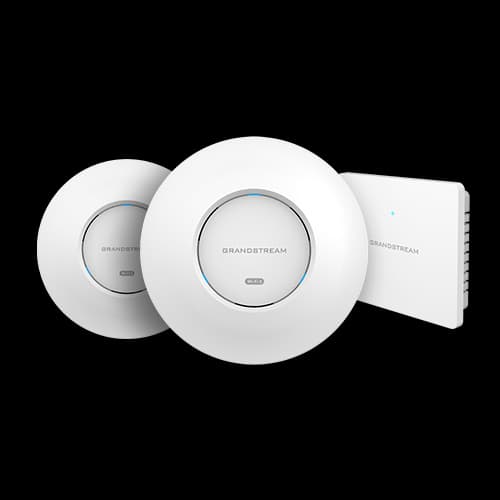
In the Store · Grandstream
GWN7665 Wi-Fi 6 ceiling AP
- Wi-Fi 6 AX3600
- 4×4:4 MU-MIMO
Wi-Fi 6, 6E and 7: which standard for your hotel?
- Wi-Fi 5 (802.11ac). Still common, it reaches its limits when many devices share the same access point.
- Wi-Fi 6 (802.11ax). Built for density: it shares airtime better across many devices (OFDMA) and limits interference between neighbouring access points. It's the sensible choice for the vast majority of hotels today.
- Wi-Fi 6E. Wi-Fi 6 extended to the less crowded 6 GHz band.
- Wi-Fi 7 (802.11be). Launched by the Wi-Fi Alliance in January 2024, it brings simultaneous use of several bands (MLO) and 320 MHz channels at 6 GHz.
Three caveats before investing in Wi-Fi 7:
- Its gains only benefit compatible devices, still a minority in guests' pockets.
- Some of its strengths rely on the 6 GHz band, whose use depends on each country's regulations: a point to check before any project.
- The hotel's Internet bandwidth is often the real ceiling: a faster access point won't speed up a saturated fibre.
Wi-Fi 7 mainly makes sense for a new property, very busy conference spaces, or a project you want to future-proof for several years. Either way, cabling and switches sized today let you change access points tomorrow without redoing the works.
A hotel's professional network architecture
A reliable hotel network shows in its organisation, not just its access points:
- Main router and firewall. The entry point for the Internet links: failover, filtering, network separation, speed limits, captive portal. MikroTik's CCR range, for instance, is built for this role in mid-size to large properties.
- Managed switches. They carry VLANs to the floors and show the state of every port.
- PoE switches. Their power budget must cover every access point, camera and phone connected, with headroom.
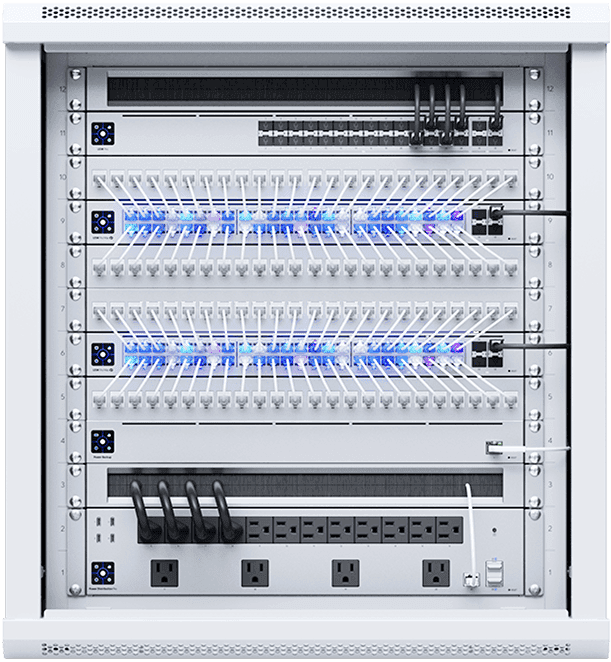
- Network rack. A ventilated, locked room with labelled patch panels: a fault is fixed much faster when you know which cable goes where.
- Cat6 or Cat6A cabling. Copper is limited to 100 m per run. Cat6A supports 10 Gbit/s over that whole distance, useful for the latest access points.
- Fibre between buildings. To link two wings or an annex, fibre covers long distances and is immune to power surges.
- Centralised, scalable design. One controller for every access point, spare ports in the rack and up-to-date documentation: adding a wing or a service doesn't mean starting over.
Hotel network architecture
- Wi-Fi access point
- Cat6 / Cat6A cable
- Optical fibre
For large properties, the core can be doubled (two routers, two core switches) to remove single points of failure. Our services are detailed on the network installation and professional Wi-Fi page; the equipment is in the VBS Store.
In the Store · MikroTik
hEX S Gigabit router
- 5 Gigabit ports + SFP
- RouterOS L4
In the Store · MikroTik
CCR2004 core router
- Multi-gigabit routing
- Advanced firewall & VLANs
In the Store · Touret 305 m
Cat6A U/FTP copper cable
- Solid copper 23 AWG
- Shielded pairs
VLAN segmentation and cybersecurity: guests have no business on your network
When guests, front desk, till and cameras share one network, any device on the Wi-Fi can "see" the hotel's computers. An infected phone, or a malicious guest, can then try to reach the PMS, the video recorder or the accounts PCs.
The answer is VLAN segmentation: several isolated logical networks sharing the same cables and access points. An example plan, to be adapted to each property:
VLAN segmentation: who can reach what
| Network → can reach | Internet | VLAN 10 | VLAN 20 | VLAN 30 | VLAN 40 | VLAN 50 |
|---|---|---|---|---|---|---|
| VLAN 10 · Administrationfront desk, PMS, accounts | allowed | — | blocked | restricted | blocked | restricted |
| VLAN 20 · Guest Wi-Fithrough the captive portal | allowed | blocked | — | blocked | blocked | blocked |
| VLAN 30 · CCTVcameras, recorder | blocked | blocked | blocked | — | blocked | blocked |
| VLAN 40 · IP telephonyhandsets, PBX | restricted | blocked | blocked | blocked | — | blocked |
| VLAN 50 · Building systemsautomation, access | restricted | blocked | blocked | blocked | blocked | — |
- allowedallowed
- restrictedrestricted
- blockedblocked
Segmentation alone isn't enough. The good practices that go with it:
Cameras benefit most from this separation: see our IP CCTV page and our guide to choosing security cameras.
Captive portal and Wi-Fi access management
The captive portal is the page that appears when a guest joins the Wi-Fi. Well designed, it serves both the hotel's image and control of the network.
Captive portal: the Wi-Fi welcome page
Welcome! Connect to the hotel Wi-Fi.
Access code
••••••
I accept the terms of use
Connect
Restaurant: see tonight's menu
- Access codePer room, per ticket, or room number when the PMS allows it
- Session lengthAutomatic expiry, for instance at check-out
- Speed per guestOne download no longer saturates the floor
- Devices per codePhone, laptop, tablet: you set the limit
- StatisticsLogins and usage, to size the subscription
- A page in the hotel's colours, with terms of use and, if you wish, your restaurant or offers.
- Code-based login handed out at check-in (ticket or per-room code), or simple acceptance of the terms.
- Login by room number and name, which needs a link with the PMS: feasibility depends on your software and is assessed case by case.
- Session management: validity period, automatic expiry at check-out.
- Speed limits per guest or per plan (for example standard and premium access).
- Number of simultaneous devices per code, and login and usage statistics.
The Hotspot built into MikroTik routers covers much of this: customisable login pages, user profiles with speed limits, session time and device count, sites reachable without login (walled garden). Combined with a RADIUS authentication server, it handles codes at larger scale (MikroTik HotSpot documentation).
One last point: open guest Wi-Fi, even behind a portal, doesn't encrypt radio traffic. Guests' sensitive connections stay protected by their own encryption (HTTPS sites, VPN), but staff should never use that network.
Monitoring and maintenance: spot the fault before the guest does
A hotel network isn't "installed once and for all". Access points age, subscriptions change, a switch can fail after a storm. The difference between a quiet incident and an evening of complaints is often how fast it's detected. Professional monitoring continuously watches:
- the availability of each Internet link and failover switchovers;
- the state of routers, switches and access points: a disconnected device triggers an alert;
- bandwidth usage, to anticipate saturation;
- signs of wear: repeated reboots, temperature, errors on a port.
Monitoring: spot the fault before the guest does
Monitoring · Example Hotel
live (illustration)
Fibre link
Online
Satellite link
Standing by
Wi-Fi access points
1 offline
Bandwidth used over 24 h (indicative shape)
- Access point · 2nd floor, east wing — Offline: alert sent to the technician
- Fibre link — Packet loss: closer monitoring
- Configurations — Automatic backup completed
Around monitoring, maintenance has two parts. Preventive maintenance: updates, configuration backups, UPS checks, coverage checks after building works. Corrective maintenance: remote diagnosis first, on-site visit if needed, with response times agreed in advance in a contract.
VBS provides this monitoring from its NOC in Douala, with several contract levels. To see what a contract should include, read our guide to the IT maintenance contract.
Power continuity: no power, no redundancy
It's the blind spot of many projects: two Internet links are useless if the router switches off at the first power cut. The network's power continuity works in layers:
- A UPS for the rack: router, switches, providers' equipment and, ideally, the video recorder. An "on-line" (double-conversion) UPS delivers clean power at all times; a "line-interactive" model is often enough for smaller racks.
- Runtime sized from the equipment's real consumption, including the PoE switches that power access points and cameras.
- A generator: the UPS bridges the seconds it takes to start, so nothing reboots.
- Solar with batteries, as a complement or for remote sites, depending on the consumption study.
- Surge protection and proper earthing: storms and power surges regularly destroy routers, switches and network cards.
Power continuity for the network rack
Example architectures by hotel size
The three profiles below are indicative starting points. The number of access points, bandwidth and exact models are decided after the building survey.
| Item | Small hotel (10 to 25 rooms) | Mid-size hotel (25 to 80 rooms) | Large hotel (over 80 rooms) |
|---|---|---|---|
| Internet connection | Fibre if available, otherwise satellite | Business fibre | Business fibre, guaranteed bandwidth if possible |
| Redundancy | 4G/5G or satellite backup with failover | Second independent link, failover | Two independent links, failover and balancing where relevant |
| Router | Compact multi-WAN router (e.g. MikroTik hEX) | Higher-end router (e.g. MikroTik CCR) | Core router, possibly doubled |
| Access points | Wi-Fi 6 ceiling units, number per survey | High-density Wi-Fi 6, central controller | Wi-Fi 6 or 7, high-density models for meeting rooms |
| Switches | One managed PoE switch | Core switch + PoE floor switches | Redundant core switches, fibre between buildings |
| Segmentation | Guests / administration / cameras | Full VLAN plan | Full VLAN plan + dedicated networks (conferences, contractors) |
| Security | Router firewall, guest isolation | Inter-VLAN rules, remote access by VPN | Formal security policy, logging |
| Monitoring | Availability alerts | Link and equipment monitoring | Continuous monitoring, contract with response times |
What VBS handles, from audit to maintenance
VBS SARL is an integrator based in Douala (Bonamoussadi) that designs, installs and monitors networks for hotels, residences and businesses. Depending on the project, we cover all or part of the cycle:
- audit of the existing infrastructure and coverage survey;
- design of the network architecture and segmentation plan;
- supply and installation: cabling, rack, router, switches, access points;
- integration of the Internet links and redundancy (failover, load balancing);
- network security and captive portal configuration;
- monitoring from our NOC, preventive and corrective maintenance, remote support and on-site visits.
What you gain: guests who stop complaining about the Wi-Fi, fewer outages, business systems kept apart from guest access, a documented and scalable network, and a single point of contact when something goes wrong.
Why VBS
Why businesses in Douala trust us
- A team in DoualaBased in Bonamoussadi, we reach every district fast and travel anywhere in Cameroon.
- Certified techniciansCisco, MikroTik, Ubiquiti and Fortinet certified, Hikvision-approved installers.
- A clear quote firstAn on-site visit, then a detailed line-by-line quote in FCFA. No surprises on installation day.
- One single contactNetwork, Wi-Fi, cameras, access control, building works: one team for your whole site.
- We stay after installationOur NOC in Douala monitors your equipment and catches failures before they cost you.
- Equipment under warrantyNew, genuine manufacturer equipment with a 6-month warranty.
Your project, step by step
- 1First conversationYour issues, the size of the property, your current subscriptions: a call or a WhatsApp message is enough.
- 2Site visit and coverage surveyRoom-by-room measurements, a survey of the cabling and the Internet links available at your address.
- 3Architecture and detailed quoteA clear proposal, priced line by line in FCFA: every access point, every cable, the labour.
- 4Installation planned with youFloor by floor, at the times that disturb your guests least.
- 5Testing and acceptanceCoverage, link failover, network separation, simulated power cut.
- 6Training, documentation and follow-upYour team knows what to do; and if you wish, our NOC monitors the network.
Where do we work?
Our teams are based in Douala and work across the city, in Yaoundé, in Bafoussam and in other cities across Cameroon. Travel terms are stated on the quote.
Near you
We work across Douala and throughout Cameroon
In Douala
- Akwa
- Bonanjo
- Bonapriso
- Bonamoussadi
- Makepe
- Deido
- Bali
- Bonabéri
Elsewhere in Cameroon
- Yaoundé
- Kribi
- Edéa
- Limbe
- Buea
- Bafoussam
- Bamenda
- Garoua
- Ngaoundéré
- Maroua
- Bertoua
- Ebolowa
Summary
Reliable hotel Wi-Fi rests on five pillars: two independent Internet links with automatic failover, Wi-Fi sized by survey, separate networks, backed-up power and continuous monitoring. No single pillar guarantees zero outages; together, they turn evenings of complaints into incidents your guests never notice.
Do you run a hotel or residence in Douala, Yaoundé, Bafoussam or elsewhere in Cameroon? Book a site visit or message us on WhatsApp: a VBS technician will survey your property and propose a suitable architecture, priced line by line.

The VBS engineering team
A collective of network, security and building engineers and technicians based in Douala. These guides are what we explain every week on our site surveys.
About us